 Seekr Nav
GPS stops at the door. Seekr Nav starts there.
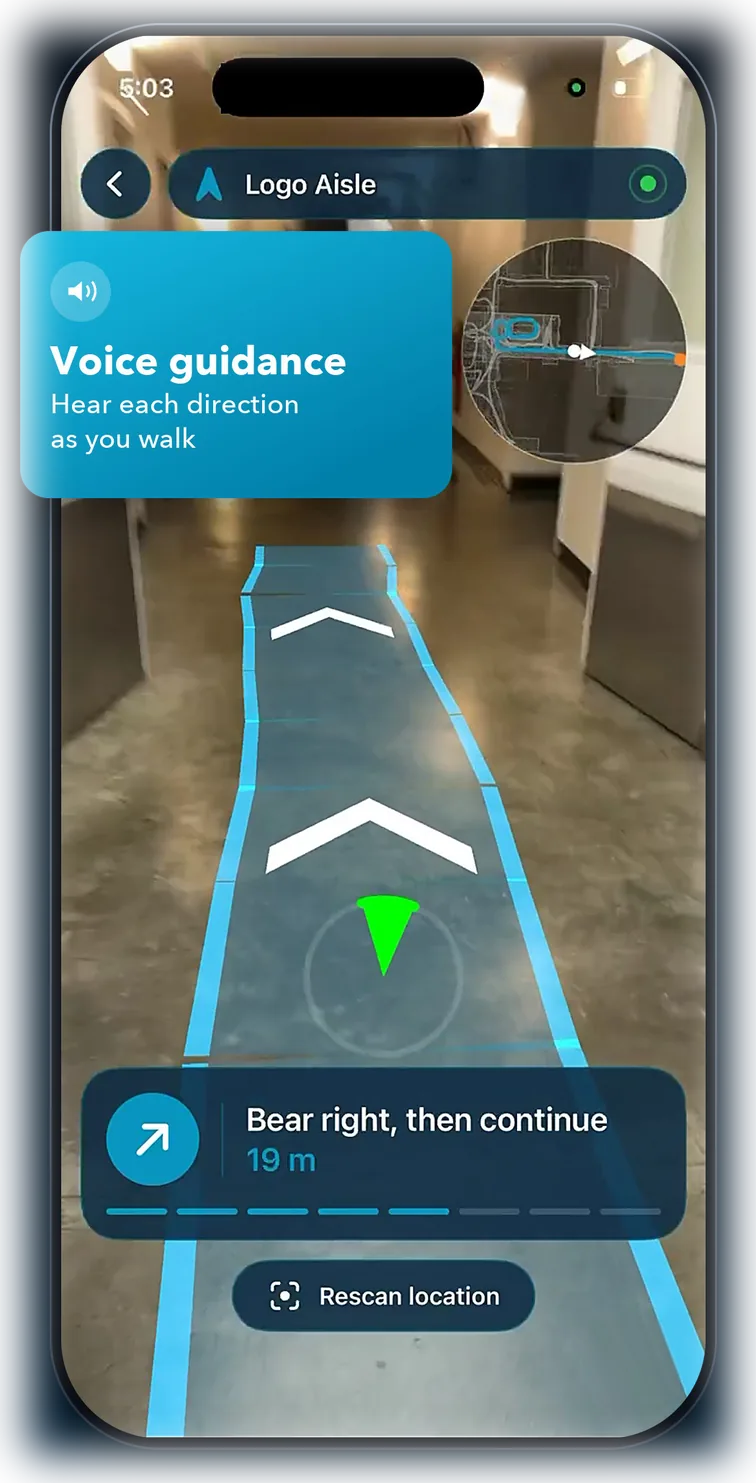
Point your phone at what's in front of you. Seekr Nav recognises the building, works out exactly where you're standing, and draws your route onto the floor ahead.
-

- Android Coming soon

Scan with your iPhone camera to open Seekr Nav in the App Store.
Follow your route by sight, by voice or by touch
By sight
Your route is drawn onto the floor ahead. A direction wheel and a full floor plan show where it leads, and obstacle awareness routes you around what's in the way.
By voice
Spoken turn-by-turn directions name the landmarks you can see, so you can keep your eyes up.
By touch
Haptic steering pulses faster as you drift off course. Every screen is labelled for VoiceOver, so the whole journey works without looking.
Seekr Nav works in venues that have been mapped for it. Open the app to see which are ready today. No account, no advertising, no tracking. Requires iOS 18 or later.